Let AI agents use AirSCP (MCP)
AI agents such as Claude Code, Codex CLI or Gemini CLI can drive AirSCP the way you do: the same menus, buttons and questions, and AirSCP’s own screenshots. AirSCP is an MCP server for them. It is off until you turn it on.
Steps
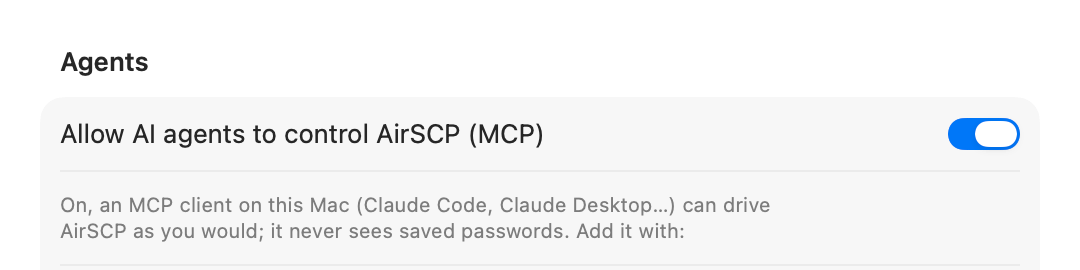
- Open AirSCP ▸ Settings… and turn on Allow AI agents to control AirSCP (MCP).
-
Settings shows the command that adds AirSCP to Claude Code. Click Copy and paste it into Terminal. It looks like this:
claude mcp add airscp -- /Applications/AirSCP.app/Contents/MacOS/AirSCP --mcpOther MCP clients take the same program with
--mcp. Codex:codex mcp add airscp -- /Applications/AirSCP.app/Contents/MacOS/AirSCP --mcp.For Claude Code there is also a plugin, with a skill that teaches Claude how to use AirSCP. In Claude Code, type
/plugin marketplace add kleash/airscp, then/plugin install airscp@airscp. - Ask your agent to do something in AirSCP, for example “upload the build folder to web-01”.
See what an agent does
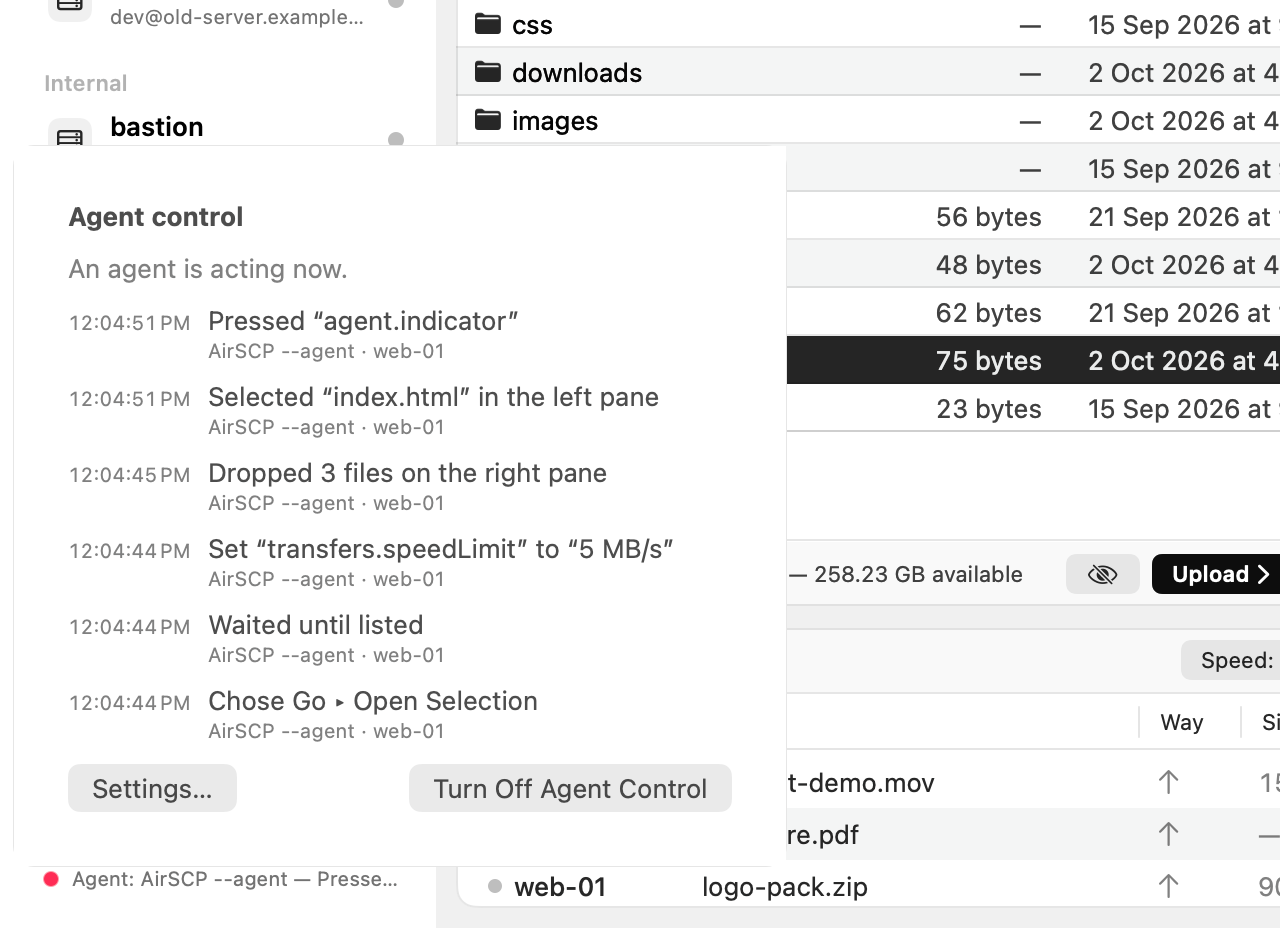
- The sidebar’s footer shows Agent control on. While an agent acts, its dot pulses and the footer names the agent and its last action.
- Hover over it to see who is connected and since when. Click it for the last 20 actions in plain words, with Turn Off Agent Control and Settings….
Safe by design
- Only programs of your own user account on this Mac can connect, through a private socket with a secret that changes at every launch.
- Agents never see saved passwords: password fields read as •••, and no tool reads the Keychain.
- AirSCP’s questions stay in the way: Delete still asks, and the agent has to answer.
- Turning the setting off closes the connection at once.
For agents and scripts
- The agent gets AirSCP’s guide when it connects, and a
guidetool for the details. Help ▸ Agent Guide shows the same text. - From a shell:
AirSCP --agent snapshot,AirSCP --agent menu path='Host > Connect',AirSCP --agent screenshot --out shot.png. - All of this help as plain text for agents: llms.txt and llms-full.txt.