Groups, colours and search
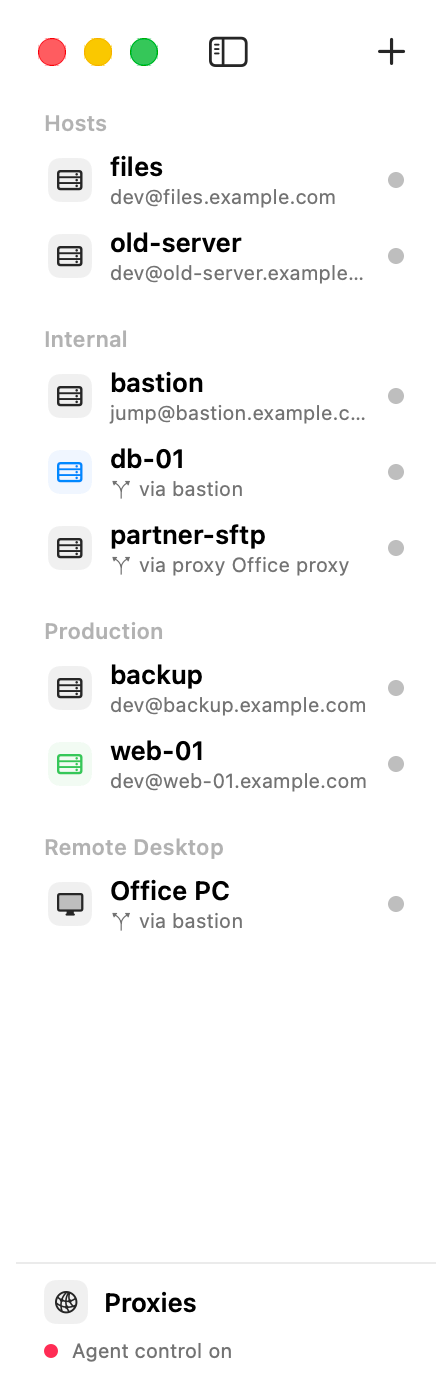
Many servers? Sort them into groups, give them colours, and find them by typing.
Steps
- Make a group: File ▸ New Group…, type a name, click Create. Then choose the group in a host’s settings (Group).
- Rename or delete a group: Host ▸ Rename Group or Host ▸ Delete Group, or right-click the group’s heading. Deleting a group keeps its hosts.
- Colour a host: Host ▸ Colour Tag, or right-click the host.
- Find a host: type in Search Hosts in the toolbar. It matches names, addresses, users, jump hosts and proxies.
Tips
- Group names are unique.
- The Connected section at the top lists what is connected now, in the order you connected. ⌘1 to ⌘9 switch between them.
- Search also finds a host by the address its row shows, for example
dev@10.0.0.5:2222.