Copy between two servers
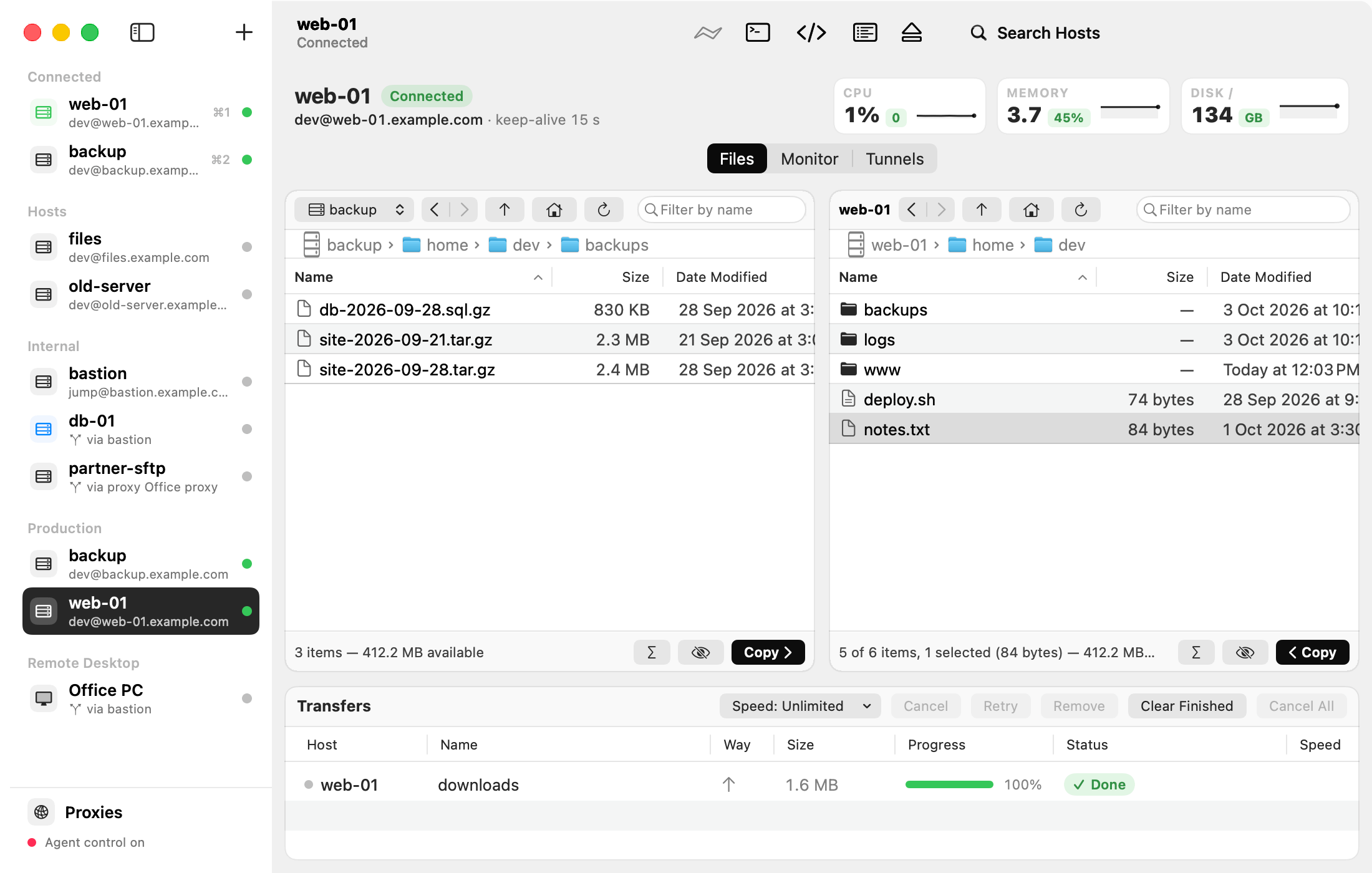
The left pane can show another connected server instead of this Mac. Then you copy straight from one server to the other.
Steps
- Connect both servers.
- Select the server you want on the right in the sidebar.
- In the left pane, open the pop-up menu at the top (it says This Mac) and choose the other server.
- Drag files between the panes, or use the Copy button under a pane.
Tips
- The copy streams through your Mac: the two servers don’t need to reach each other.
- Choose This Mac in the pop-up menu to go back.
- If the other server’s connection drops, its copy runs again once it has reconnected.