See the commands AirSCP ran
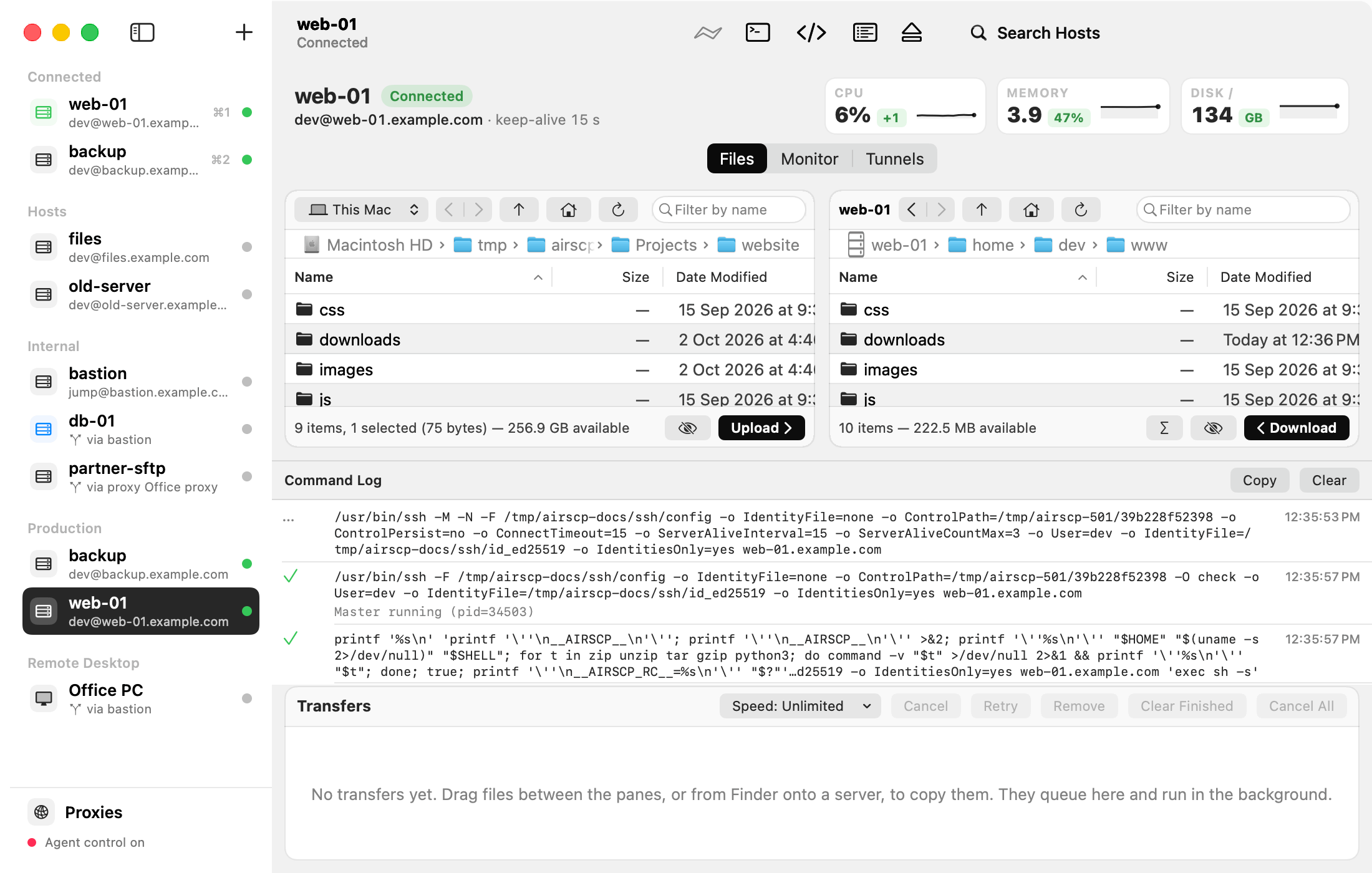
AirSCP is a window on top of the ssh tools of macOS. The command log shows every command it ran for a host, as a line you can copy and run yourself.
Steps
- Select a host and choose View ▸ Show Command Log (⌥⌘L), or click Command Log in the toolbar.
- Each line shows the command, a tick or a cross for how it ended, and the time. Error output is under it.
- Copy puts the command lines on the clipboard. Clear empties the log.
Tips
- A command that runs again (for example a refresh) moves down instead of being listed twice.
- The log is handy when something fails: Details in an error shows ssh’s own words too.