Import hosts from ~/.ssh/config
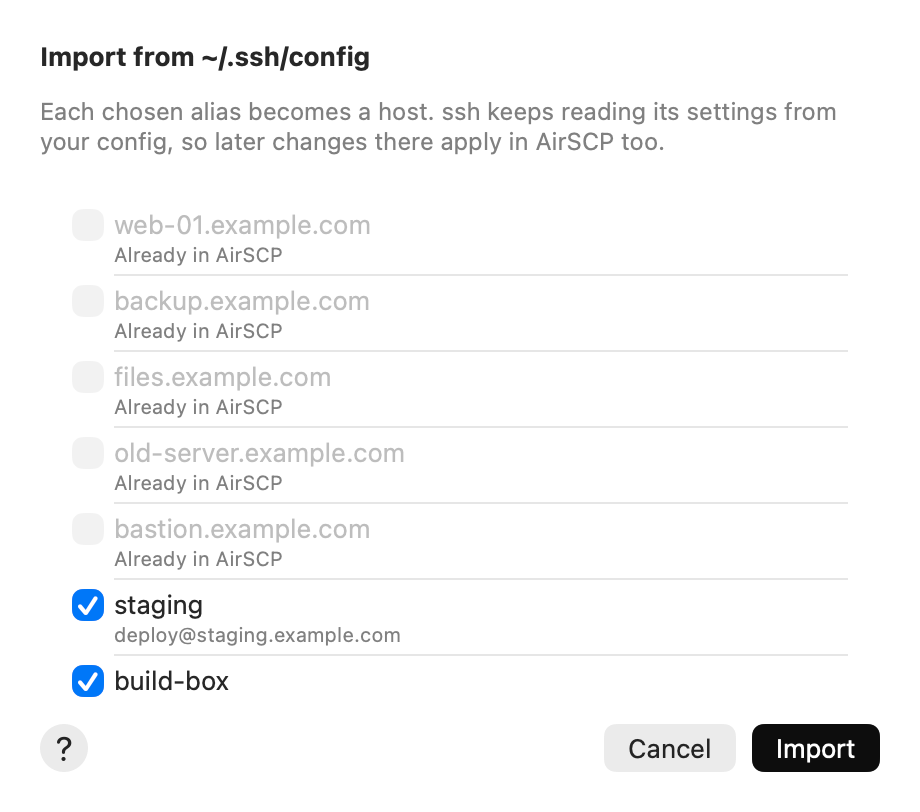
Already use ssh in Terminal? AirSCP can make a host for each alias in your ~/.ssh/config. ssh keeps reading their settings from your config, so later changes there apply in AirSCP too.
Steps
- Choose File ▸ Import from ~/.ssh/config… (the welcome sheet has this button too).
- AirSCP lists the aliases from the
Hostlines, with the user and address ssh makes of each one. - Tick the ones you want. Aliases that are in AirSCP already are greyed out.
- Click Import.
Tips
- AirSCP also reads the files that your config’s
Includelines name. - Patterns such as
Host *orHost *.example.comare skipped: they aren’t one server. - AirSCP never changes your
~/.ssh/config.
If something goes wrong
- “No hosts found in ~/.ssh/config”: your config has no
Hostlines with plain names. Add a host with File ▸ New Host… instead.