Keys
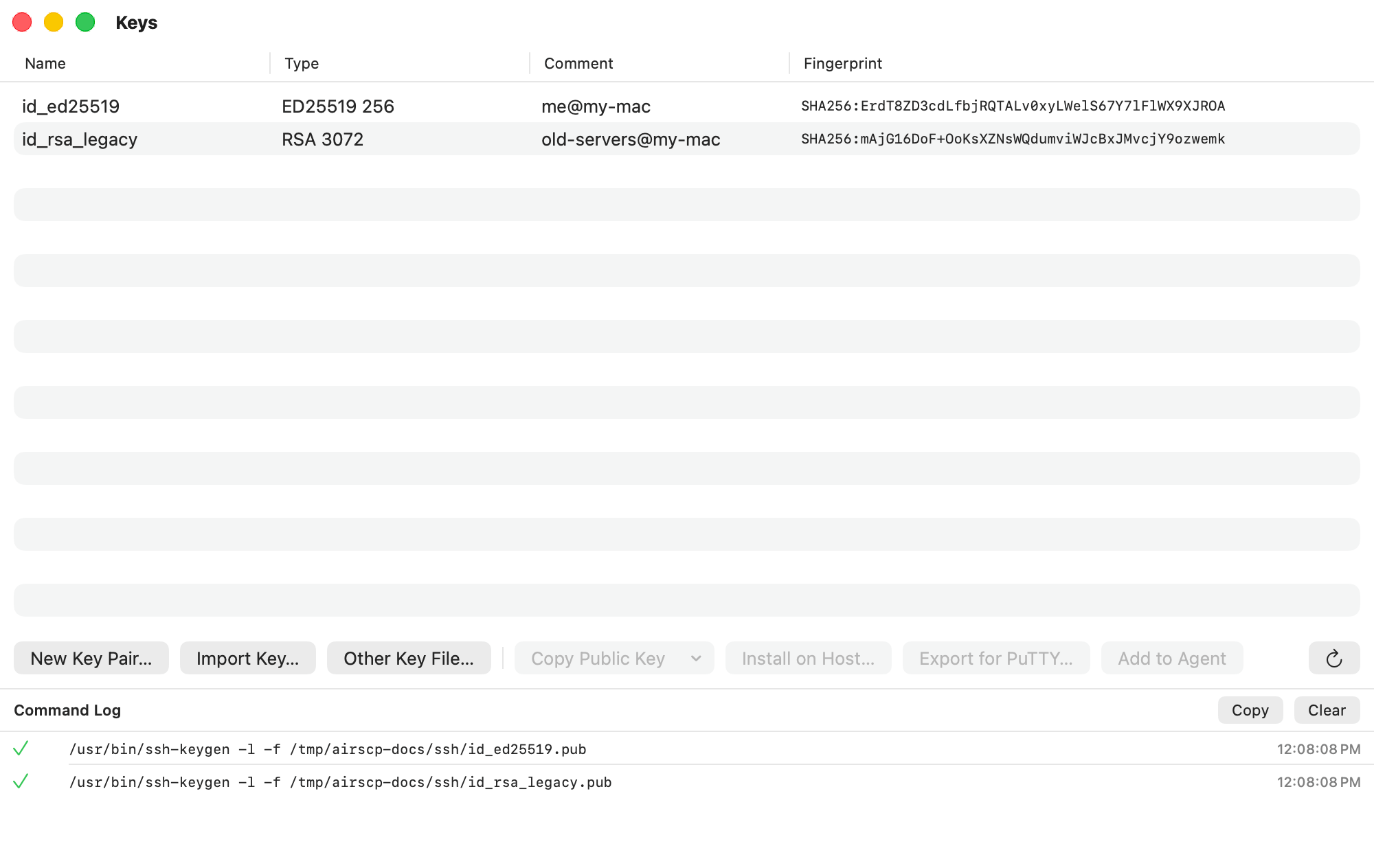
An SSH key pair lets you log in without typing a password. The Keys window lists your keys and makes new ones.
Steps
- Choose Window ▸ Keys.
- You see every private key in
~/.ssh, with its type, comment and fingerprint. - Select a key for the buttons below the list:
- Copy Public Key: the public key, to paste into a server or a web console. Its menu has other formats: SSH2 (RFC 4716) and PEM (PKCS#8).
- Install on Host…: put the public key on a server. See Put your key on a server.
- Export for PuTTY…: a
.ppkcopy for Windows tools. See Use your PuTTY keys. - Add to Agent: keep the key in the ssh agent, with its passphrase in your Keychain.
Pages
Tips
- Other Key File… adds a key that lives somewhere else.
- A key that needs its passphrase before it can be read shows “type unknown”.
- Settings ▸ Keys sets the folder for new keys:
~/.sshby default, where ssh finds them by itself.