Extra ssh settings
Sometimes a server needs an ssh setting that AirSCP has no field for. Add it under Other ssh options, one per line, as Name=value. Leave it empty unless you need one.
Steps
- Select the host and choose Host ▸ Edit…, then click Advanced.
- Under Other ssh options, type one setting per line, for example
ConnectTimeout=10. - Or use Add Common Option…: it adds a line for you and says when you’d use it.
- Click Save.
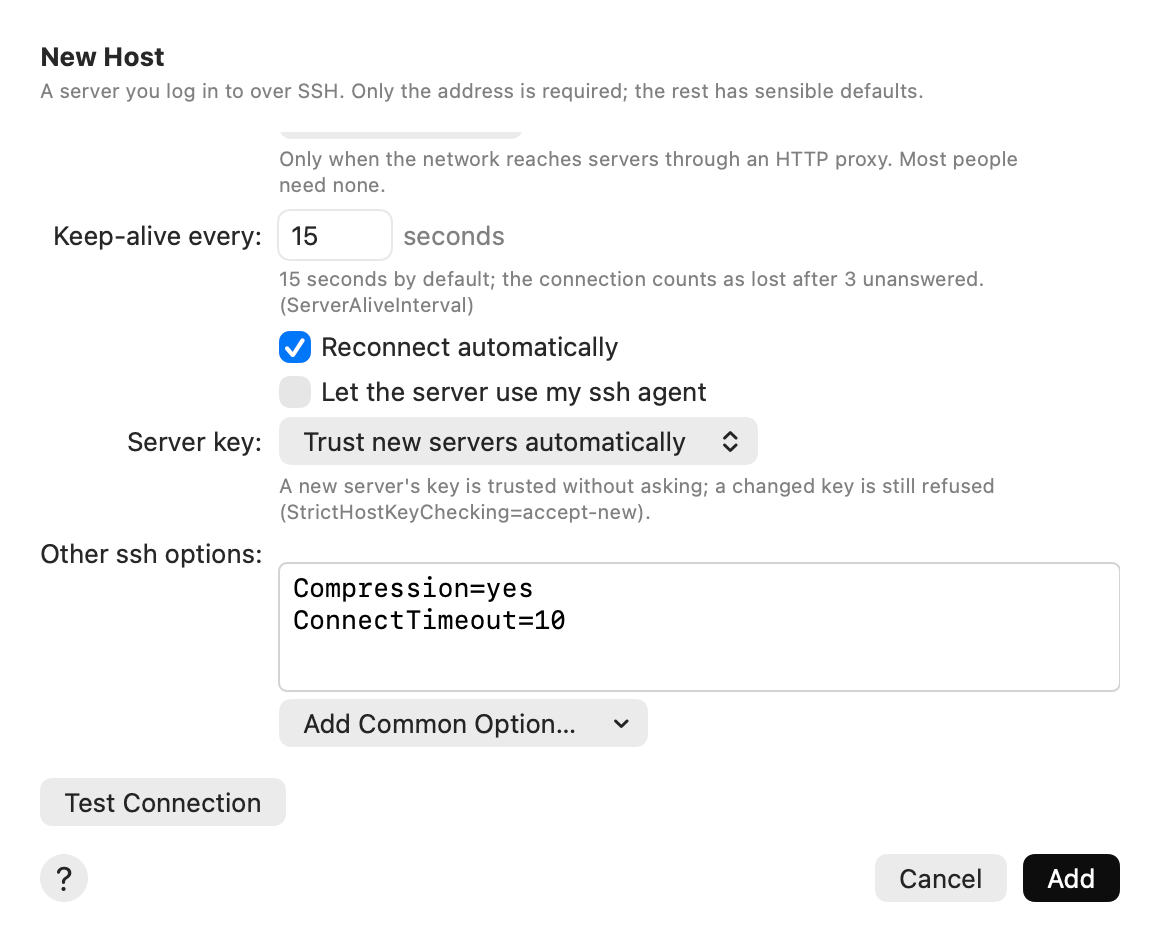
AirSCP checks each line as you type, with ssh -G (which connects nowhere). A wrong line is shown in red with ssh’s reason, and Save waits until it is fixed.
Common options
| Option | When you’d use it |
|---|---|
Compression=yes | Faster on slow links for text and logs; slower on fast networks. |
ConnectTimeout=10 | Give up after 10 seconds instead of waiting long for a server that is down. |
IdentitiesOnly=yes | Try only the chosen key. Fixes “Too many authentication failures”. |
PubkeyAcceptedAlgorithms=+ssh-rsa | Old servers that only know RSA keys. |
HostKeyAlgorithms=+ssh-rsa | Old servers whose own key is RSA. |
KexAlgorithms=+diffie-hellman-group14-sha1 | Very old servers (“no matching key exchange”). |
AddressFamily=inet | Use IPv4 only, when IPv6 hangs. |
StrictHostKeyChecking=accept-new | Trust a new server’s key automatically, but still warn when it changes. The Server key setting does this too. |
SetEnv LANG=en_US.UTF-8 | Fix garbled characters in file names. |
IPQoS=throughput | Steadier big transfers on some Wi-Fi networks and routers. |
LogLevel=ERROR | Hide the server’s banner text in the command log. |
Tips
- Settings that AirSCP has a field for (port, user, key, jump host, proxy) belong in those fields.
- Some options can’t be changed here, because AirSCP runs them itself (for example
ControlMaster,ControlPath,ControlPersist,RemoteCommand). The red line says why. - Your
~/.ssh/configstill applies: use it for settings you share with Terminal.