When a file already exists
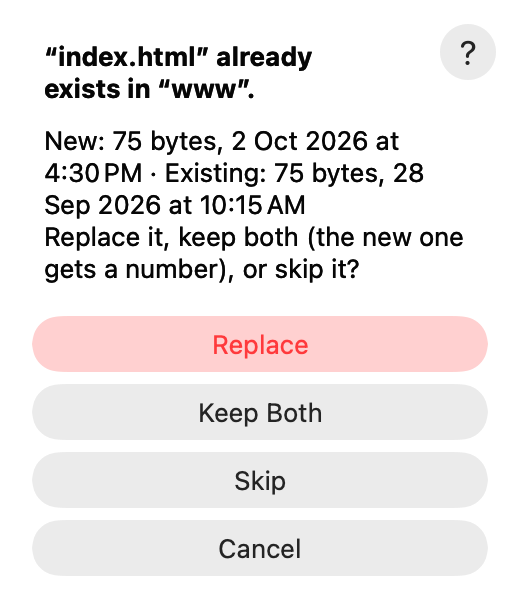
When you copy a file to a folder that already has one with the same name, AirSCP asks what to do. It shows the size and date of both, so you can decide.
Steps
- Read the line that compares them, for example
New: 75 bytes, 2 Oct 2026 at 4:30 PM · Existing: 75 bytes, 28 Sep 2026 at 10:15 AM. - Choose:
- Replace: the new file takes the old one’s place.
- Keep Both: the new file gets a number, for example
index 2.html. - Skip: the old file stays, and this one isn’t copied.
- Cancel: nothing more is copied.
- Copying many files? Tick Do the same for the other … conflicts to answer once for all of them.
Tips
- AirSCP checks the folder as it is now, not as it was listed. A file made since then is asked about too, never replaced without asking.
- Replace keeps the old file until the new copy is complete.
- Some copies can’t rename (archives, copies between two servers): then only Replace and Skip are offered.
- On Windows and Mac servers, names that differ only in case count as the same name.