Open and check certificates
Steps
- Choose Tools ▸ Certificate Manager….
- Click Open…, or drop files on the window. It reads:
- certificates:
.pem,.crt,.cer,.der, one or many in a file; - chains:
.p7b,.p7c; - PKCS#12:
.p12,.pfx; - Java keystores:
.jks; - private keys (RSA, EC, Ed25519; PKCS#1, SEC1, PKCS#8, encrypted or not), public keys and certificate requests.
- certificates:
- A file with a password (PKCS#12, a keystore, an encrypted key) asks for it.
- Select an item in the list to see its details.
What the details show
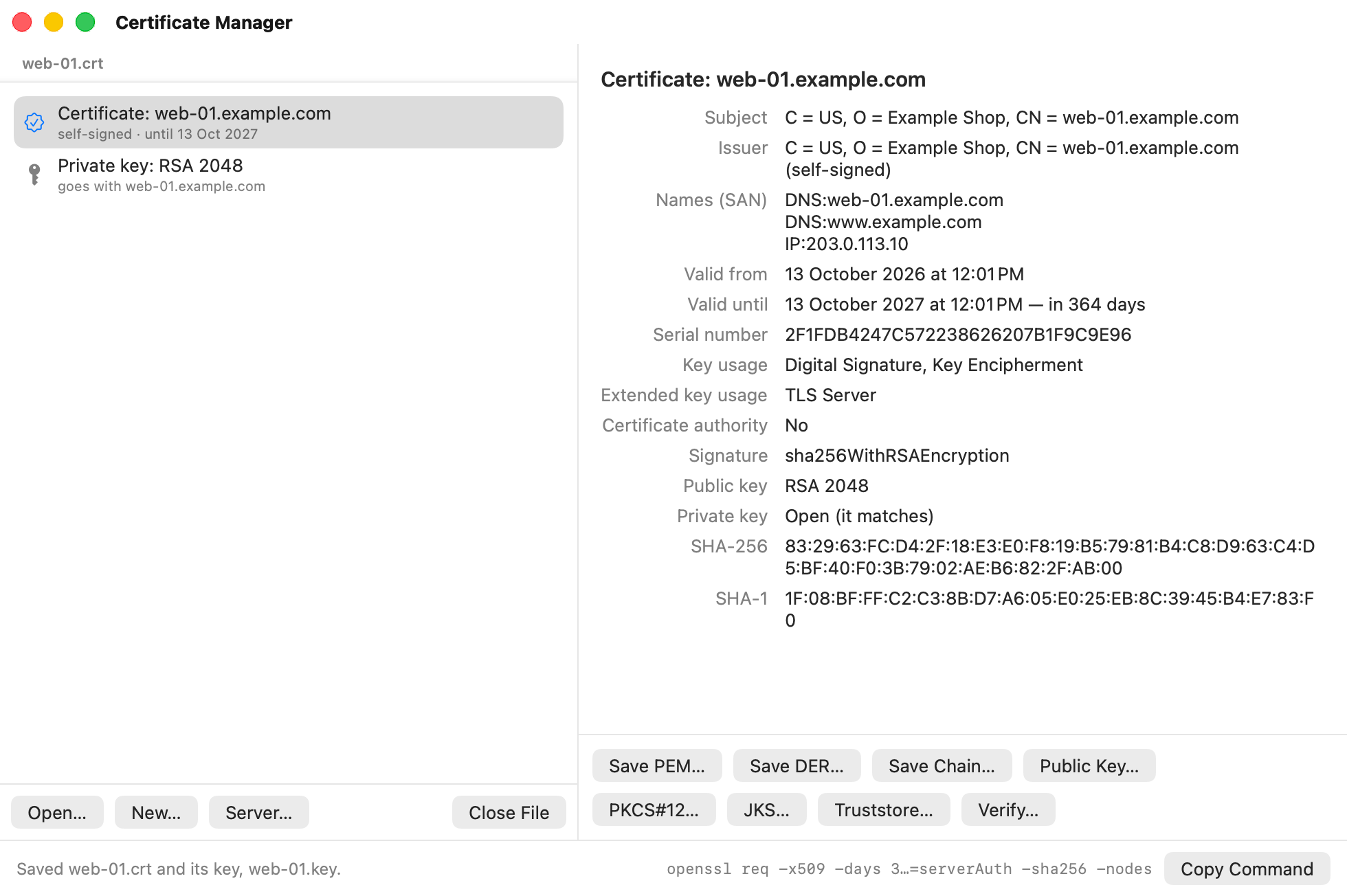
- Subject and Issuer: who the certificate is for, and who signed it.
- Names (SAN): the host names and addresses it is valid for.
- Valid until: orange when it expires within 30 days, red once it has expired. The list’s icons use the same colours.
- Key usage, Extended key usage and Certificate authority: what the certificate may be used for.
- Private key: whether a key that goes with it is open. A key’s line says which certificate it goes with.
- Issued by (open): the certificate that signed it, when that one is open too. The list shows each file’s certificates in chain order, the server’s own first.
- SHA-256 and SHA-1: fingerprints, to compare with what someone sent you.
Check a certificate’s chain
- Open the certificate, and the certificates that issued it if you have them.
- Select the certificate and click Verify….
- Choose what to trust: Authorities this Mac trusts, or A CA bundle file (click Choose…).
- Type a Host name to check that the certificate is for that name. Optional.
- Click Verify.
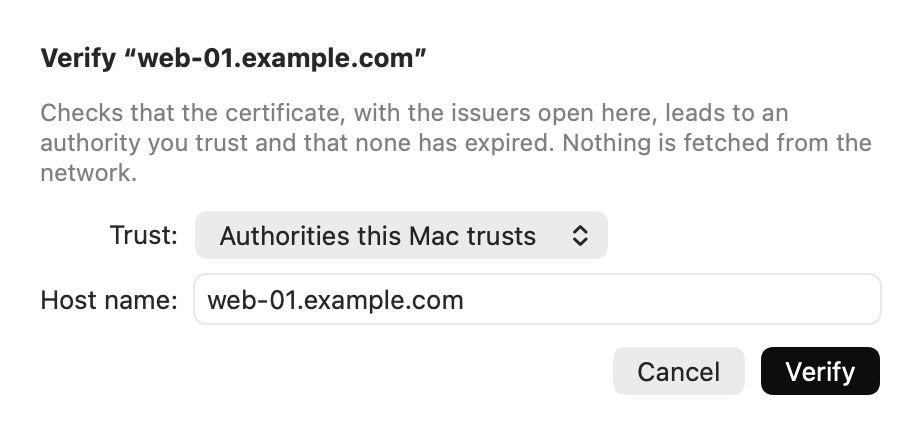
The details say Valid, or why not: it has expired, the issuer is unknown, or the name doesn’t match. Nothing is fetched from the network.
Tips
- Open the certificate, its key and the CA’s certificate together: AirSCP matches them, and can then make a chain or a PKCS#12 file. See Convert and export.
- Close File takes a file out of the list. The file itself stays where it is.
If something goes wrong
- “That password didn’t open it”: check the password; PKCS#12 passwords are case-sensitive.
- “The key … has a password of its own”: in a Java keystore, a key can have another password than the store. Type the key’s password.
- “AirSCP doesn’t read RC2-40 encryption”: the file was made with
openssl pkcs12 -legacyor by an old Windows. Export it again with AES or 3DES. - “AirSCP doesn’t read JCEKS”: convert the keystore to PKCS#12 with
keytool -importkeystore. - “Not valid: unknown issuer”: the certificates between it and the authority aren’t open, or you don’t trust that authority. Open the issuing certificates too, or choose the CA bundle that has the authority.