Connect through a jump host
Some servers can’t be reached from your Mac directly: you first log in to another server, often called a bastion or jump host. AirSCP does both steps for you (this is ssh’s ProxyJump).
Steps
- Save the bastion as a host first (Add a server).
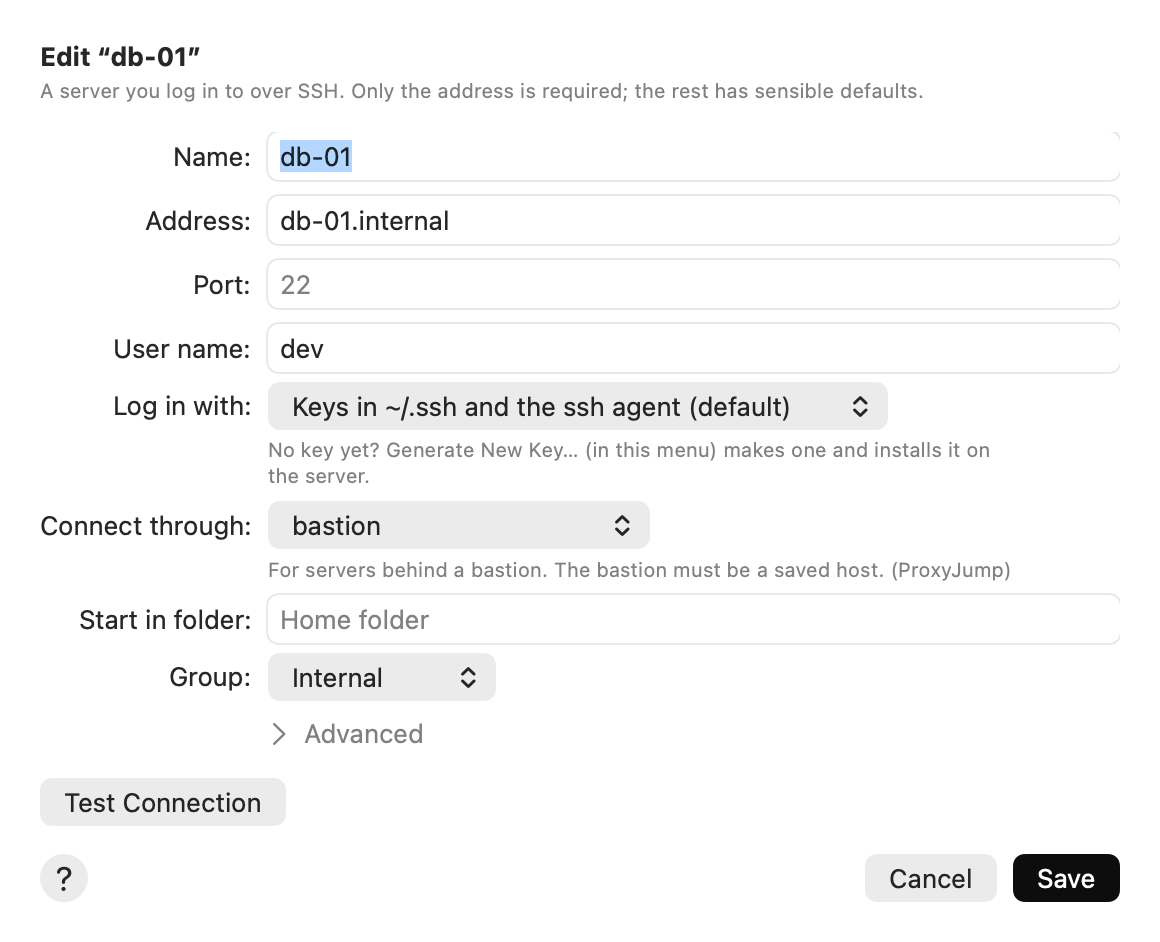
- Add the inner server: File ▸ New Host…. For its Address, use the name or IP address that the bastion uses to reach it.
- Set Connect through to the bastion.
- Click Add and connect. AirSCP asks the bastion’s questions first (trust, password), one sheet each.
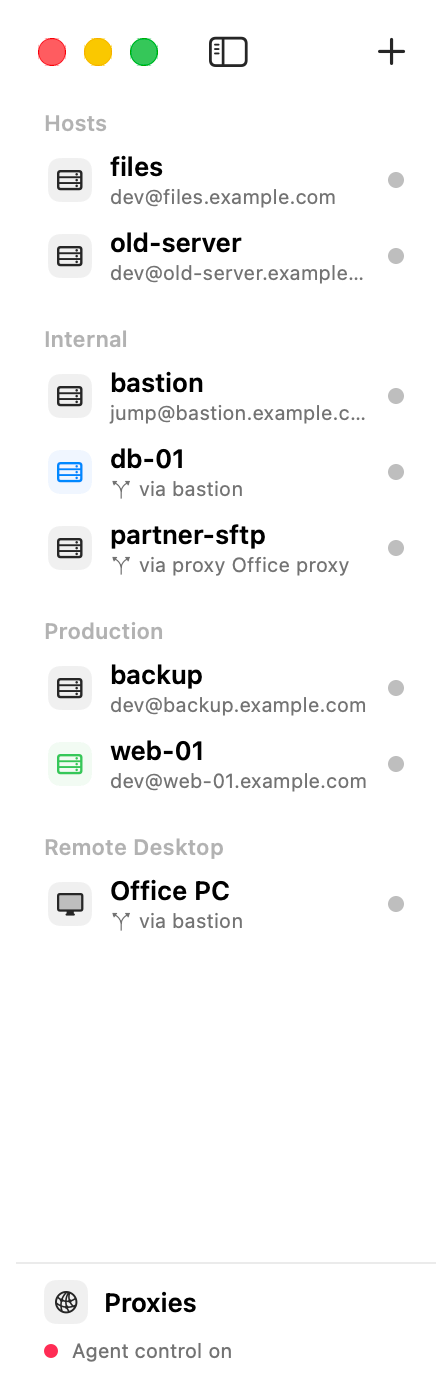
The sidebar shows the route under the host’s name, for example via bastion. Hover over the host to see each hop in full.
Tips
- One hop is supported: Mac → bastion → server.
- The bastion can use an HTTP proxy, so the full route can be Mac → proxy → bastion → server.
- Take your time with the bastion’s questions: the 15-second timeout is only for reaching a server directly.
- A Windows computer can go through an SSH host too. See Remote Desktop (Windows).
If something goes wrong
- The route line is red: the jump host was deleted. Edit the host and choose another one.
- “The server can’t be reached from this network”: check that the inner server’s address is the one the bastion uses.