Copy your first files
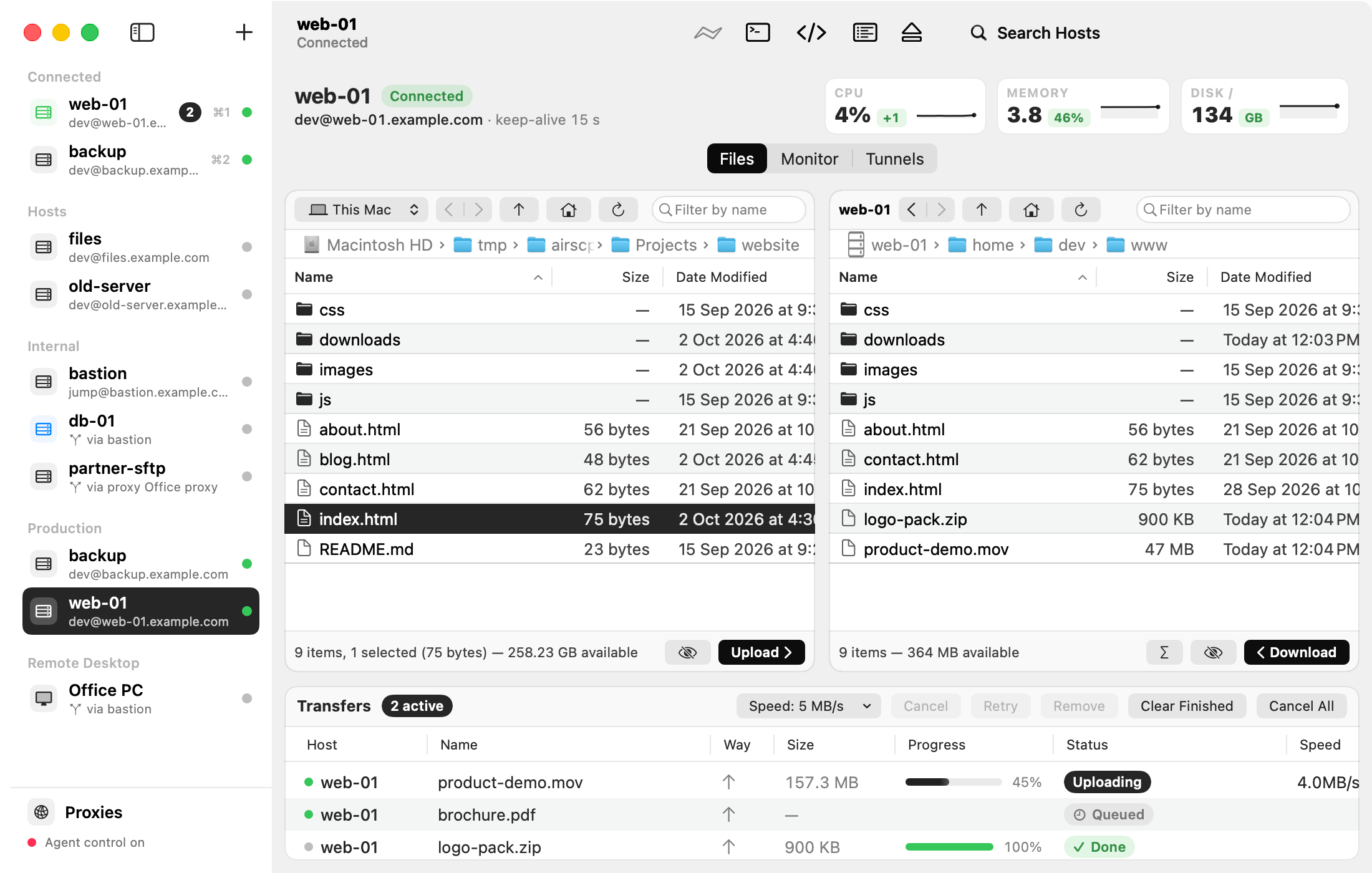
Copy files between your Mac and a server by dragging them, like in Finder.
Steps
- Connect to the server (how).
- In the left pane (This Mac), open the folder with your files.
- In the right pane (the server), open the folder where the files should go.
- Drag the files from the left pane to the right pane. That uploads them.
- To download, drag files from the right pane to the left pane, or onto your Desktop.
The copies run in the Transfers list at the bottom of the window. You can keep working meanwhile.
Other ways to copy
- Select files and click Upload (under the left pane) or Download (under the right pane).
- Drag files from Finder onto the server’s pane.
- Edit ▸ Copy and Edit ▸ Paste work too.
Tips
- A name that exists already? AirSCP asks: Replace, Keep Both or Skip. See When a file already exists.
- A whole folder goes as one stream. See Upload a folder.
- More about the queue: Transfers and the queue.