What’s new
AirSCP 1.0
The first release.
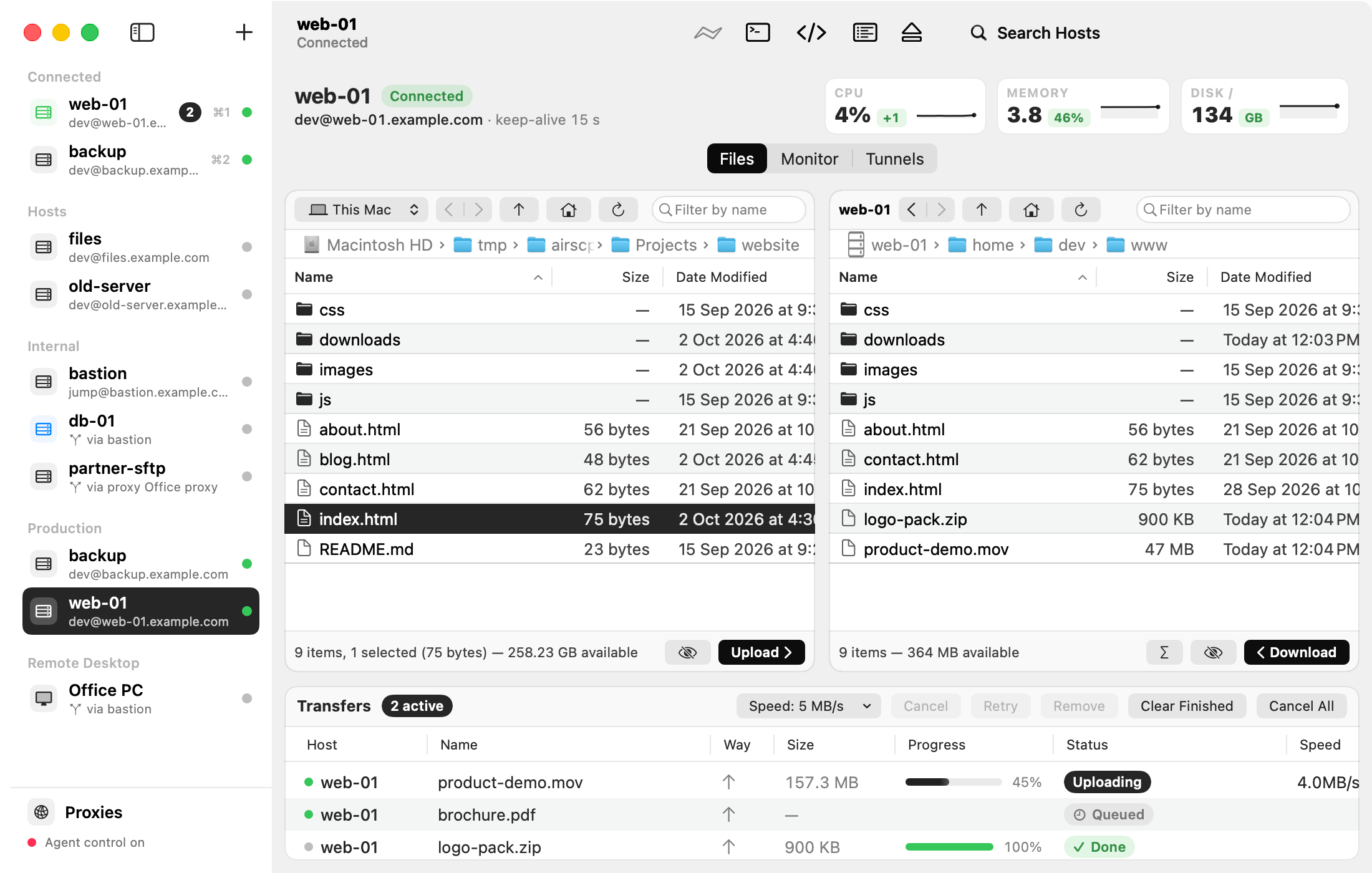
- One window for all your servers: saved hosts in groups, connected ones at the top, ⌘1 to ⌘9 to switch.
- Two-pane file browser: drag to copy between your Mac and a server, or between two servers.
- Background transfer queue with resume after a lost connection and a speed limit.
- Folders as one stream, with Compress during transfer and Leave out patterns.
- Synchronize two folders, with a preview before anything is copied.
- Find Files on a server, by name or pattern.
- Server file commands: edit, permissions, compress, extract, run, Get Info.
- Jump hosts and HTTP proxies, with the route shown in the sidebar.
- Remote Desktop for Windows, built in, with the clipboard and files both ways.
- Linux monitor: CPU, memory, disks and processes, with Kill.
- Tunnels: local, remote and SOCKS.
- Keys: make key pairs of every common type, install them on servers, import PuTTY keys and export them for PuTTY 0.75 and later.
- Trust choices for self-signed certificates and company certificate authorities.
- AI agents can drive AirSCP over MCP when you allow it.
- Two looks: Paper in light mode and Night Harbor in dark mode, with a CPU, memory and disk strip for a connected Linux server.
- Help everywhere: tooltips on every control, a welcome sheet, AirSCP Tips, and this help with a ? button on every sheet with choices.
- Debug logs that show each step of a failed connection, to attach to a problem report.